Introduction
A common assumption about FBR digital invoicing is that once you pick an integrator, you’re locked in — one vendor, one connection, for your entire business. That’s no longer accurate. FBR has explicitly confirmed that registered businesses can engage more than one licensed integrator, addressing exactly the kind of operational headaches that come with depending on a single provider.
Here’s what changed, why it matters, and how to actually put it into practice.
What FBR Actually Allows
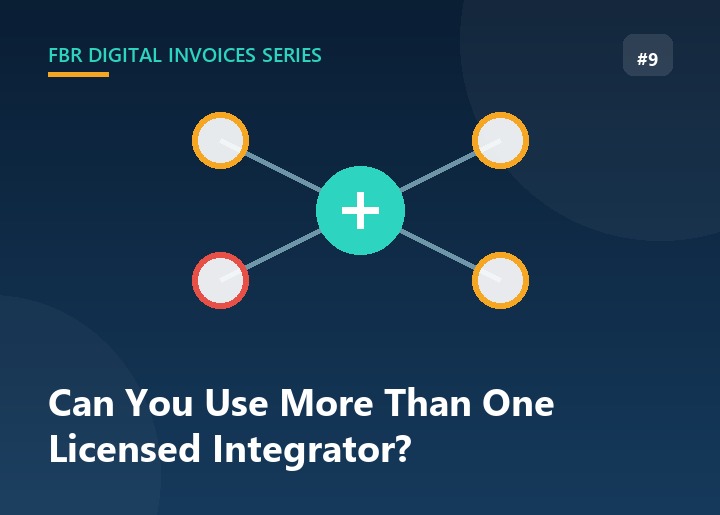
Under FBR’s Sales Tax General Order (STGO #01 of 2026), a registered person may engage one or more licensed integrators — PRAL, a private licensed integrator, or a combination — wherever required, for integrating their electronic invoicing hardware and software with FBR’s system. This came directly in response to businesses reporting real operational difficulties when relying on a single integrator.
In short: this isn’t a workaround or a gray area — it’s an explicitly permitted setup.
Why a Business Would Want More Than One
Reliability. If your only integrator has downtime or a technical issue, real-time invoicing — and by extension, your ability to legally sell — grinds to a halt. A second integrator reduces that single point of failure.
Different systems for different parts of the business. A retailer might use one integrator for in-store POS terminals and a different one better suited to an e-commerce platform or ERP system, rather than forcing one vendor to fit both.
Multi-outlet operations. Businesses running several branches — sometimes acquired at different times, with different existing systems — often find it more practical to keep each outlet on the integrator it’s already set up with, rather than a disruptive, all-at-once migration.
Smoother vendor transitions. If you’re moving from one integrator to another, running both in parallel during the switch is far lower-risk than a hard cutover where a failure could mean invoices not reaching FBR at all.
How It Actually Works in Practice
1. Confirm each integrator’s license status independently. Check each one against FBR’s published list of licensed integrators — don’t assume a provider is compliant just because a competitor uses them.
2. Assign integrators at the outlet or system level, not the business level. You don’t need one integrator to represent your whole business. Each POS terminal, outlet, or system stream can be tied to a specific integrator — FBR receives the real-time data centrally regardless of which licensed integrator sent it.
3. Keep your invoice numbering consistent across systems. Since multiple integrators are transmitting independently, make sure your internal invoice numbering scheme doesn’t create confusion or duplication across systems — this matters most if you ever need to trace or correct a specific invoice later.
4. Understand that verification doesn’t care which integrator was used. A customer verifying an invoice’s QR code or IRN is checking it against FBR’s central database — not against any particular integrator. As long as the invoice was properly transmitted, it verifies the same way regardless of which licensed integrator handled it.
5. Remember the 72-hour edit window applies per invoice, not per integrator. Registered persons can cancel, delete, or edit an invoice within 72 hours of issuance for genuine errors; beyond that, it requires Commissioner approval. Know which system issued a given invoice if you need to correct it.
When It’s Worth the Extra Complexity — and When It Isn’t
Running multiple integrators adds a second (or third) vendor relationship, subscription, and support channel to manage. For a single-outlet small business with one POS system, that complexity usually isn’t worth it — one reliable integrator is enough.
It becomes genuinely useful once you have multiple outlets, a mix of POS and online sales channels, or you’re in the process of switching vendors and want a safety net during the transition.
Where FBR Digital Invoices Fits
If part of your business is already integrated elsewhere, FBR Digital Invoices doesn’t require an all-or-nothing migration to adopt — it can run alongside an existing setup, handling real-time FBR validation, IRN/QR generation, and GST calculation for the outlets or sales channels you connect to it, while the rest of your business continues on its current integrator until you’re ready to consolidate, if ever.
FAQ
Do I need FBR’s permission each time I add a second integrator? No — FBR has made this generally permitted rather than something you apply for case by case. Just make sure each integrator you use is validly licensed.
Will invoices from two different integrators look different to customers? The verification outcome is the same either way, since it’s checked against FBR’s central system — but the invoice layout may differ slightly between vendors’ software.
Is this the same as using PRAL and a private integrator at once? Yes — PRAL counts as a licensed integrator, so pairing it with a private one for a different part of your business is a valid version of this setup.
Does adding a second integrator increase my compliance risk? Not if each one is properly licensed and you keep track of which outlet/system uses which. The risk it’s meant to reduce is the opposite — over-reliance on a single point of failure.
Conclusion
Using more than one licensed integrator isn’t a loophole — it’s an FBR-recognized way to reduce risk, especially for multi-outlet businesses or anyone navigating a vendor switch. The main discipline it requires is keeping track of which system handles which part of your business, not a complicated approval process. And if you’re already using another integrator for part of your operation, FBR Digital Invoices can be added alongside it rather than requiring you to start over.