How to Avoid Penalties on FBR Digital Invoices in Pakistan
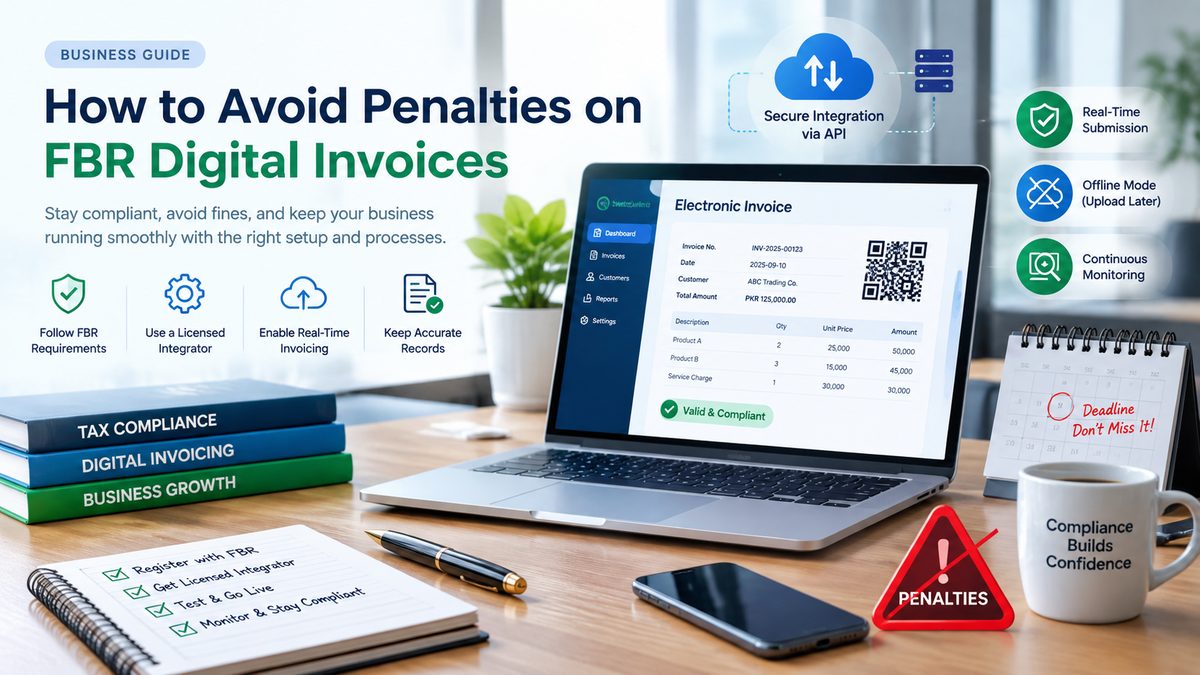
FBR Digital Invoicing is no longer simply a technology upgrade — for businesses covered by the applicable rules, it is a tax compliance requirement. Failing to integrate your invoicing system, issuing incorrect invoices, or failing to properly report sales can expose a business to regulatory and penal consequences.
The good news is that most compliance problems can be avoided with the right system, proper integration, accurate invoice data, and regular monitoring.
In this guide, we explain the practical steps businesses should take to stay compliant with FBR Digital Invoicing and reduce the risk of penalties.


5
What Is FBR Digital Invoicing?
FBR Digital Invoicing is the electronic process through which applicable businesses issue structured electronic invoices and transmit invoice information to the Federal Board of Revenue’s computerized system.
According to FBR, an electronic invoice is a structured digital invoice. Simply scanning a paper invoice or converting a paper invoice into a PDF does not make it an electronic invoice.
For notified registered persons, the invoicing system needs to be integrated with FBR through the prescribed process.
FBR also states that businesses can use electronic invoicing software integrated through a licensed integrator. PRAL is also identified by FBR as a licensed integration option.
Why Can Businesses Face FBR Digital Invoicing Penalties?
There are several areas where businesses can run into compliance problems.
Common issues include:
- Failing to integrate within the applicable deadline
- Issuing invoices outside the required electronic invoicing process
- Incorrect buyer information
- Incorrect tax information
- Missing required invoice fields
- Failure to transmit invoices correctly
- Not properly handling system or internet interruptions
- Maintaining sales records that do not match reported invoices
- Making unauthorized changes to electronic invoices
- Selling goods without generating the required invoice
FBR’s own FAQ states that registered persons who fail to comply with integration timelines can be subject to penal action under the Sales Tax Act and relevant rules.
1. Complete Your FBR Digital Invoicing Integration
The first and most important step is to determine whether your business is required to integrate and, if so, complete the integration within the applicable timeframe.
FBR currently provides a dedicated Digital Invoicing section containing legal provisions, technical assistance, user manuals, and a list of licensed integrators.
Do not wait until you receive a notice or face an operational problem.
A business should:
- Confirm its digital invoicing applicability.
- Register/configure the required FBR digital invoicing profile.
- Select an approved integration route.
- Connect its POS, ERP, accounting, or invoicing software.
- Test invoice submission.
- Verify successful communication with FBR.
- Start issuing compliant electronic invoices.
2. Use a Licensed Integrator
One of the most important compliance requirements is using the appropriate integration channel.
FBR states that notified registered persons must integrate their POS, ERP, or other invoicing system through a licensed integrator. FBR also maintains an official list of licensed integrators.
Before choosing a service provider, businesses should verify that the provider is authorized for FBR digital invoicing integration.
This is particularly important because simply purchasing invoicing software does not automatically mean that the software is properly integrated with FBR.
Before selecting a provider, ask:
- Is the integration performed through an FBR-licensed integrator?
- Will invoices be transmitted to FBR correctly?
- Is the system tested before going live?
- Can the provider handle integration errors?
- Is there a proper support process?
- Can invoice status be monitored?
- How are system interruptions handled?
3. Make Sure Your Invoice Data Is Accurate
Technology cannot fix incorrect business information.
One of the biggest sources of invoice problems is inaccurate or incomplete data.
Before issuing digital invoices, verify:
- Seller NTN/registration information
- Buyer NTN/CNIC where applicable
- Buyer name
- Buyer address
- Product or service description
- Quantity
- Unit price
- Taxable value
- Sales tax
- Applicable tax rates
- Invoice date
- Invoice number
- Other mandatory fields applicable to the transaction
FBR specifically notes that certain buyer particulars are required in particular transactions, including NTN or CNIC requirements where applicable.
A good invoicing system should validate important fields before submitting the invoice.
4. Do Not Ignore Failed Invoices
A common mistake is assuming that an invoice has been successfully submitted simply because it was generated in the company’s software.
Businesses should monitor the complete invoice lifecycle.
A proper process should look like:
Create Invoice → Validate Data → Submit to FBR → Receive Response → Store Status → Resolve Errors
If an invoice fails, investigate the reason rather than simply continuing to generate invoices without resolving the underlying problem.
Your system should ideally provide clear statuses such as:
- Draft
- Pending
- Submitted
- Accepted
- Failed
- Rejected
- Cancelled
This gives your finance team visibility into the actual status of every invoice.
5. Have a Plan for Internet or System Downtime
Internet and system interruptions can happen.
That does not mean businesses should ignore the compliance requirements.
FBR’s rules provide a mechanism for invoices generated during certain electronic invoicing software or internet/power failures to be identified as offline invoices and uploaded after restoration within the prescribed period.
This means businesses should have a proper backup procedure.
Your system should ideally:
- Detect connectivity problems
- Clearly identify offline invoices
- Preserve invoice information securely
- Prevent duplicate invoice submission
- Automatically synchronize pending invoices
- Maintain logs of failed transmissions
- Notify the responsible staff member
A backup internet connection can also significantly reduce operational disruption.
6. Keep Proper Digital Records
Digital invoicing is not only about sending data to FBR.
Your business should also maintain reliable internal records.
Keep records of:
- Invoices
- Invoice numbers
- FBR responses
- Submission timestamps
- Failed invoices
- Corrected invoices
- Credit/debit notes
- Cancellation records
- Customer information
- Product information
- Tax calculations
Your accounting records, sales records, inventory records, and FBR digital invoices should remain consistent.
A mismatch between your business records and reported sales can create unnecessary compliance issues.
7. Be Careful When Cancelling or Editing Invoices
Invoice corrections should be handled carefully.
FBR’s Sales Tax General Order No. 01 of 2026 states that an integrated person may cancel, delete, or edit a valid electronic sales tax invoice generated due to a bona fide mistake through the Board’s computerized system within 72 hours of generation. After that period, such action is subject to prior approval of the concerned Commissioner Inland Revenue under the prescribed procedure.
Therefore, businesses should avoid treating digital invoices like ordinary editable documents.
If an invoice contains an error:
Identify → Review → Correct through the prescribed process → Maintain an audit trail
Do not simply delete an invoice from your local software and assume that the FBR record has also been removed.
8. Reconcile Your Sales Regularly
One of the best ways to identify compliance problems early is reconciliation.
Your finance team should periodically compare:
POS/ERP Sales
↓
Digital Invoices
↓
Accounting Records
↓
Sales Tax Records/Returns
Any unexplained difference should be investigated.
For example, if your POS shows 500 invoices but only 470 invoices were successfully transmitted, there should be a clear explanation and corrective action for the remaining invoices.
Regular reconciliation can prevent a small technical issue from becoming a larger compliance problem.
9. Monitor Your FBR Integration
Integration should not be treated as a one-time project.
After going live, businesses should continuously monitor:
- API connectivity
- Invoice submission
- FBR responses
- Rejected invoices
- Failed invoices
- Server availability
- Internet connectivity
- Authentication/API credentials
- Software updates
- Invoice numbering
FBR provides a Digital Invoicing support mechanism through its CRM/eCRM process for integration and post-integration issues.
A good service provider should also have a process for monitoring integration health.
10. Train Your Accounts and Sales Teams
Even the best software cannot prevent every compliance issue if employees are not trained.
Your sales and accounts teams should understand:
- When an invoice must be generated
- Which customer information is required
- How to correct an invoice
- What to do when an invoice fails
- How to handle offline invoicing
- How to verify invoice status
- Who should be contacted when there is a technical problem
A short training session can prevent repeated errors.
FBR Digital Invoice Compliance Checklist
Before going live, businesses can use this simple checklist:
| Compliance Area | Status |
|---|---|
| FBR applicability confirmed | ☐ |
| Digital invoicing registration completed | ☐ |
| Licensed integrator selected | ☐ |
| POS/ERP integrated | ☐ |
| Invoice fields validated | ☐ |
| Test invoices completed | ☐ |
| FBR responses monitored | ☐ |
| Offline process configured | ☐ |
| Invoice correction procedure defined | ☐ |
| Sales reconciliation process established | ☐ |
| Staff trained | ☐ |
| Technical support available | ☐ |
| Backup internet/system procedure available | ☐ |
Don’t Wait for an FBR Notice
The biggest mistake businesses can make is waiting until they receive a notice before taking digital invoicing seriously.
FBR’s digital invoicing framework is designed around electronic reporting and integration. Businesses that are required to comply should establish the correct system, processes, and controls rather than treating digital invoicing as a last-minute requirement.
The safest approach is simple:
Integrate correctly.
Issue accurate invoices.
Monitor submissions.
Keep proper records.
Fix errors quickly.
Stay updated with FBR requirements.
How AiwaTech Can Help With FBR Digital Invoicing
For businesses that are looking for a practical digital invoicing solution, AiwaTech FBR Digital Invoicing can help businesses manage their electronic invoicing workflow and integration requirements.
The goal should not simply be to generate an invoice. Your system should help your business create, validate, submit, monitor, and manage digital invoices with less manual effort.
Whether you operate a manufacturing business, distribution company, importer, exporter, wholesaler, or other registered business, having a reliable digital invoicing process can make compliance significantly easier.
Don’t wait until a compliance problem becomes a penalty issue. Get your digital invoicing system ready and keep your business compliant.
For official requirements, businesses should always refer to the latest FBR notifications, rules, and guidance because tax regulations and implementation requirements can change. FBR’s official Digital Invoicing portal provides the current legal provisions, technical assistance, FAQs, and licensed-integrator information.
Official FBR Resources
FBR Digital Invoicing FAQs
FBR Digital Invoicing Legal Provisions
FBR List of Licensed Integrators
SEO FAQ Section
What is an FBR digital invoice?
An FBR digital invoice is a structured electronic invoice issued through an electronic invoicing system and reported to FBR through the prescribed integration process. A scanned or PDF copy of a paper invoice is not, by itself, considered an electronic invoice.
How can I avoid FBR digital invoice penalties?
Businesses should determine whether they are required to integrate, complete integration through the prescribed channel, use accurate invoice information, monitor invoice submissions, maintain proper records, and follow FBR procedures for corrections and system interruptions.
Is FBR digital invoicing mandatory?
FBR states that electronic invoicing is mandatory for the registered persons covered by the applicable rules and notifications. The applicable dates and requirements should be confirmed against the latest FBR guidance.
Can I use my existing POS or ERP?
Yes. FBR states that notified registered persons may integrate their POS, ERP, or other invoicing systems with FBR through a licensed integrator.
What happens if the internet goes down?
FBR’s rules provide for certain offline invoicing situations, with invoices generated during the relevant interruption identified as offline and uploaded after restoration within the prescribed timeframe.
Can an FBR digital invoice be edited?
Invoice editing, cancellation, or deletion is subject to the applicable FBR rules. Under the 2026 Sales Tax General Order cited above, certain bona fide corrections can be made through the Board’s computerized system within 72 hours; actions after that period require the prescribed approval process.